
Protect
Redaction that removes the words, not just covers them.
A black rectangle over a paragraph isn’t redaction. The glyphs stay in the content stream and any tool — including ours — can still read them. Firms have leaked privileged material exactly that way.
5 users per license · local processing, no upload · Windows and browser
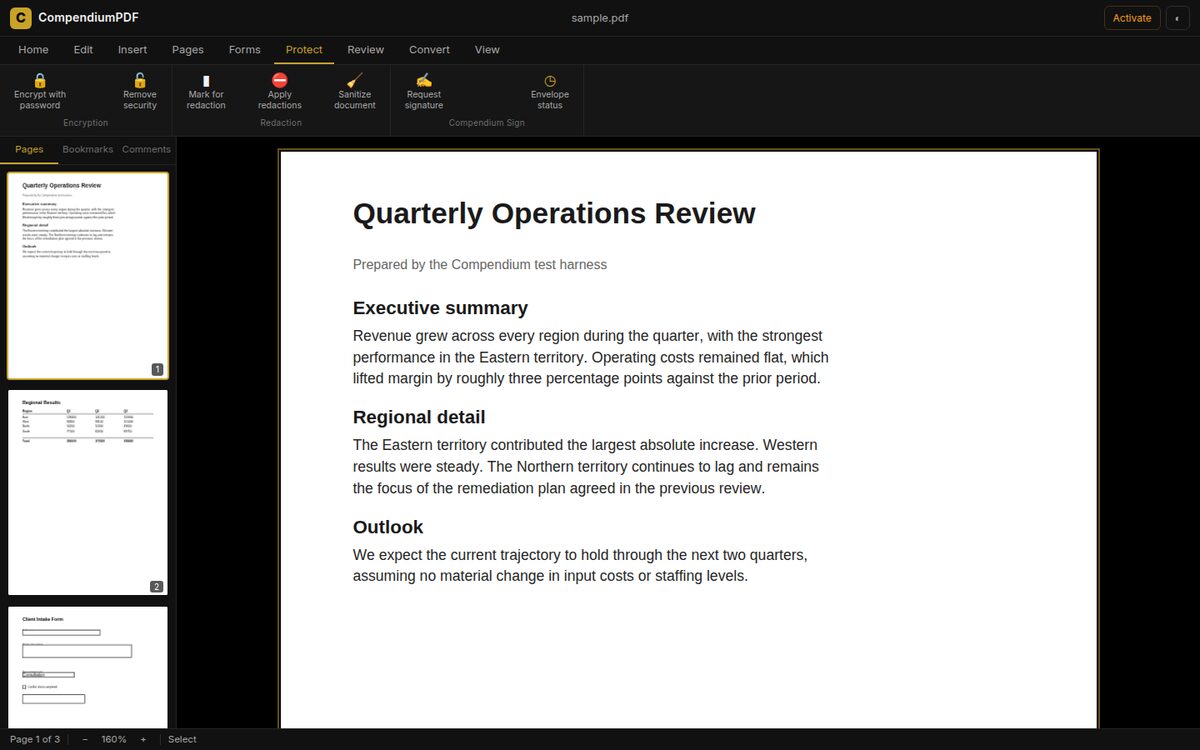
Protect: encryption, redaction, sanitizing and Compendium Sign.
What is CompendiumPDF?
CompendiumPDF is a PDF editor for Windows and the browser that reads, edits, builds, converts, redacts, protects and signs PDF documents on your own computer. OCR, conversion and redaction run locally, so your files aren’t uploaded anywhere. One license costs $25 a month and covers 5 named users.
What actually happens when you redact
You mark the areas to remove, then apply. CompendiumPDF renders each affected page at 200 dpi, paints the redaction boxes onto that bitmap, and replaces the original page with the image. The text, fonts and vectors that were on that page are gone from the file entirely.
The trade-off, stated plainly. Redacted pages become images, so they’re no longer searchable text. The application warns you before it does this, and offers OCR afterwards to rebuild a text layer from what’s still visible.
Why the usual approach fails
Drawing a filled rectangle over a paragraph adds a drawing instruction to the page. It doesn’t remove the characters underneath. Anyone can select the text through the box, copy it, or extract it with a script. Every few years a firm publishes a document redacted this way and the contents are read within hours.
What it does
Everything happens on your computer
Protect
AES encryption with open and permissions passwords, granular permissions, metadata sanitizing, and redaction that genuinely removes content.
Sign
Request signatures through Compendium Sign, with a hash-chained audit trail and HIPAA and 21 CFR Part 11 profiles.
Convert
Export to Word, Excel, plain text and images. Build PDFs from images. Everything runs locally.
Pricing
$25 a month covers 5 users
Prepay a year for 5% off, up to 40% off for five years. The AI assistant is optional at $5 per user per month.
Questions, answered
How is redaction different from drawing a black box?
A black box leaves the original text in the file, where it can still be extracted. CompendiumPDF converts the affected pages to images so the underlying text is destroyed rather than hidden.
What’s the trade-off with that kind of redaction?
Redacted pages become images, so they stop being searchable text. The application tells you this before it applies the change, and you can run OCR afterwards to restore a text layer covering only what remains visible.
Is the redaction verifiable?
Yes. After redacting, the removed words are absent from the raw bytes of the saved file, not merely covered by a drawing instruction.
Does CompendiumPDF upload my documents?
No. Opening, editing, OCR, conversion, compression and redaction all run on your own computer. The only time a document is transmitted is if you explicitly send it for signature through Compendium Sign.
What does it cost?
One license is $25 a month and covers five named users, which works out at about $5 per person. Prepaying a year takes 5% off, and five years takes 40% off. An optional AI assistant is $5 per user per month.
Does it work offline?
Yes. The Windows application is fully offline. It checks its license every 45 days, and if it can’t reach the internet it keeps working normally within that window.
What happens if I stop paying?
The application drops to read-only. You can still open, read, search, annotate and print every document you have. You’re never locked out of your own files.
Can I use it in a browser?
Yes. There’s a browser version that runs the same engine, so the PDF is still processed on your device rather than on a server.
Is CompendiumPDF a drop-in replacement for Acrobat Pro?
Not for every workflow. It covers about 43% of Acrobat Pro’s published feature list, concentrated in editing, page operations, forms, OCR, redaction, conversion and signature. It doesn’t yet do accessibility tagging, prepress and preflight, batch automation or Office-format import.
Which languages does the OCR support?
English, Spanish, French and German.
Get started
Buy a license and set up your account in one pass, then download the installer. One installer covers CompendiumPDF, CompendiumWP and Compendium LECX, and installs without administrator rights.
$25 a month · 5 users per license · read-only, never locked out, if you cancel